
Deposits & Withdrawals
How to Deposit on OKX: Crypto Transfer, P2P, or Card?
Choose the right way to fund an OKX account. Compare a crypto transfer with P2P and card purchases, then check the network, minimum, payment details, and final amount before you confirm.
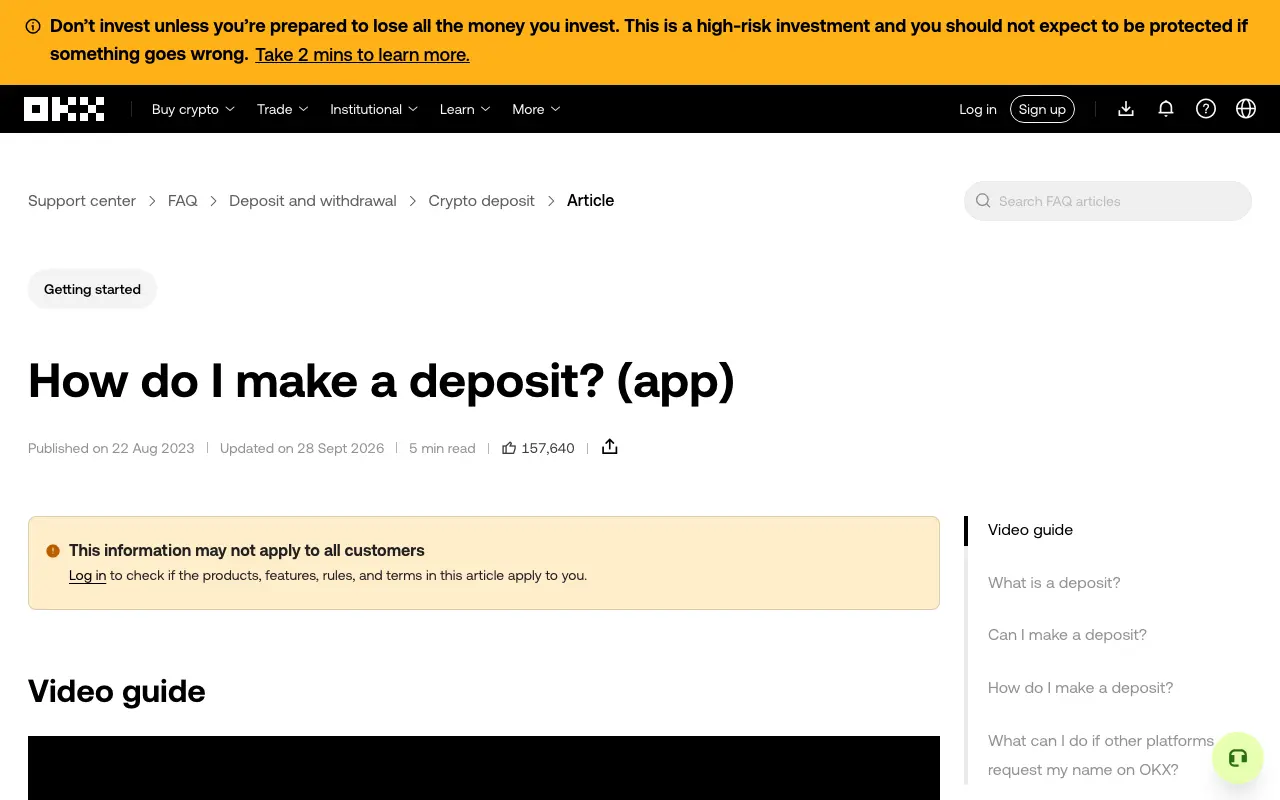
To deposit on OKX, first decide what you are sending. If you already hold crypto elsewhere, use an on-chain crypto deposit. If you hold local currency, P2P or a card purchase may let you buy crypto, where available. These are different transactions: a P2P or card order is not an on-chain deposit, and its price and payment checks differ.
The options shown in your account depend on your region and verification status. Start from the official OKX app or type okx.com yourself, then use the controls displayed for your account. Do not rely on a payment link or address sent in a private message.
Screenshot of the public OKX crypto-deposit instructions, captured September 29, 2026. It shows the official source and its regional-applicability notice; no account is signed in.
Which route fits what you have now?
| What you have | Route to check | Main thing to compare |
|---|---|---|
| Crypto in another wallet or exchange | Deposit crypto on OKX, then withdraw from the sending service | Exact asset, supported network, address, any memo or tag, and minimum deposit |
| Money in a payment account | P2P trading, if offered in your region | Seller's quoted rate, order limits, payment method and account-name rules |
| An eligible bank card | Buy crypto with card, if offered | Final crypto received, total charge and bank approval requirements |
A cash or bank-transfer deposit may also appear in some regions. Follow that account-specific flow if it is available; do not send money to a bank account from an unrelated guide.
If you already own crypto: make an on-chain deposit
- In the official OKX app, open Assets or Deposit, choose Deposit crypto, then select the asset. On the web, use the Deposit control shown after signing in.
- Select a network that the sending wallet or exchange also offers for that same asset. The name must match at both ends; a familiar token ticker alone is not enough.
- Read the OKX deposit screen before copying anything. Check the minimum amount, required confirmations, destination address, and whether a memo or tag is required.
- On the sending service, choose Withdraw or Send, paste the OKX address, select the matching network, and enter the exact memo or tag if OKX provided one. Review the destination character by character before confirming.
- Keep the transaction ID or withdrawal record. Use OKX deposit history to check the status and confirmations. A broadcast transaction is not the same as a credited balance.
OKX's deposit instructions warn that unsupported assets or networks can lead to loss, and its network guide says the withdrawal and deposit networks must match. Availability can change, so check the live deposit screen before every transfer. A small trial transfer is only useful if the amount after the sending fee still meets OKX's displayed minimum; our minimum-deposit checklist explains why a smaller test may not credit.
OKX says it does not charge a receiving fee for a crypto deposit, but the sending wallet or exchange may charge for the withdrawal. The minimum and confirmation requirements are asset and network specific; do not copy a number from an old article. See OKX's deposit-fee explanation for the distinction.
If you have local currency: consider P2P
P2P is a purchase from another user through OKX's order flow. After identity verification, open the P2P marketplace if your account offers it, choose the currency and asset, and compare the seller's rate, supported payment method, order limits and completion terms. The displayed quote tells you more than a claim of 'zero fees': OKX says it charges no P2P service fee, while an external bank or wallet may charge, and sellers set their own quotes.
Pay only to the details shown in the live order, using a payment account in your own verified name. Mark the order Payment Completed only after actually paying, and keep the receipt. The crypto goes to the Funding Account after the seller confirms receipt; it is not guaranteed to arrive the moment you send the payment. If you have already paid and the seller has not released it, keep the order open and use its dispute flow. Our P2P payment and dispute checklist covers that decision in more detail. These steps follow OKX's P2P FAQ, updated September 15, 2026.
If you have a card: review the buy preview
If Buy crypto offers your card type, choose the asset and payment amount, select the card, then read the preview before placing the order. Compare the total card charge with the crypto you will receive; check any platform or bank charge and the quoted conversion price. Complete any bank approval inside your bank's own app or approved verification screen. A declined attempt can involve a temporary bank authorization, so check the bank record and the OKX order history before trying repeatedly.
Card support and fees vary by country and card type. OKX's card-purchase instructions explicitly say they may not apply to every customer. For the detailed route and declined-payment checks, see our OKX card purchase guide.
Before you confirm—and if nothing arrives
For an on-chain transfer, stop if the asset, network, address or memo is uncertain. For P2P, stop if the payment name or live order details do not match. For a card purchase, stop if the final amount differs from what you intended to pay. None of these problems is fixed by sending another payment blindly.
After an on-chain send, first check the sending platform's withdrawal status and transaction ID, then OKX's deposit history and required confirmations. For P2P, use the order page and its dispute tools. For a card order, check both OKX order history and the bank's authorization status. OKX's deposit-history guide explains what a crypto-deposit record may show. If the record remains unresolved, contact support through the official app or Help Center with the non-sensitive transaction details.
Official OKX sources checked September 29, 2026. Product availability, rates, network support and menu labels can differ by region and change over time. This independent guide is educational and does not recommend a payment method or investment.