
Fees & Savings
OKX Futures Fees: Calculate Opening and Closing Costs, Then Check Funding
Check your OKX futures maker or taker rate, calculate each opening and closing fill, and keep perpetual funding separate. Includes a worked example and steps to verify actual charges.
To work out OKX futures fees, start with the maker or taker rate for your own account and contract. Apply it to each opening and closing fill, using that fill’s price and size. If you hold a perpetual position through a funding assessment, check that payment separately. This guide also shows why a spot fee may appear in a different currency.
This guide is for readers comparing an order estimate with the charges in their history. Every number in the worked examples below is an assumption for arithmetic only, not a current OKX rate or a real customer trade. Product access and fees vary by region and account.
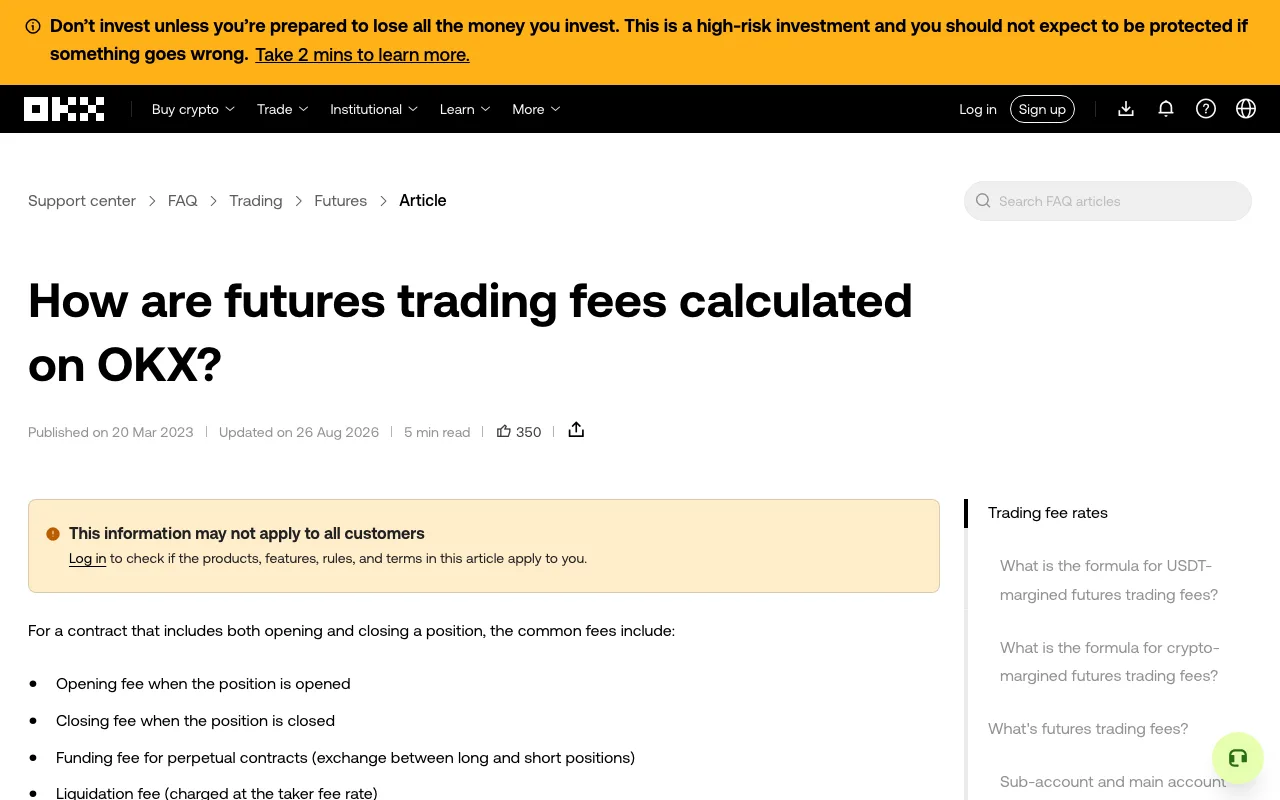
The public OKX futures-fee guide, captured October 7, 2026 without signing in. Its examples explain the fee types; the rates for your own account and contract must be checked while signed in.
Check the four inputs before calculating
- Select the exact futures contract and note whether it is USDT-, USDC-, or crypto-margined.
- Find your signed-in maker and taker rates for that contract; the public fee table is not a personal quote.
- For each executed fill, record its quantity, price, and whether it added or removed liquidity.
- Keep any perpetual funding entry separate from the opening and closing trade fees.
Find the futures rate that applies to you
According to OKX's trading-fee FAQ, the rate shown while you are signed in is the one tied to your account. On the web, open Assets → My trading fees to see your tier, then select the relevant product. For one contract, open its futures trading page and check Fees in the order panel. In the app, OKX documents Trade → More → Fee rules for the selected pair. Menu names can vary, so use the rate and product shown in your own order screen.
Record the contract, fee tier, maker rate, taker rate, and time you checked. A logged-out public table can help you locate the columns, but it cannot establish your personal rate. Do not copy a spot rate into a perpetual calculation or assume a promotional rate applies to every pair.
Calculate a futures round trip from the actual fills
For a USDT- or USDC-margined linear futures contract, OKX gives this formula in its futures-fee calculation guide:
Trading fee = applicable fee rate × contracts × contract multiplier × contract size × fill price.
The last four factors give the fill value in the quote currency. If your order screen already shows the filled underlying quantity, multiply that quantity by the fill price to get the same value. Check the instrument specification before converting a contract count; contract sizes vary. Crypto-margined contracts use another formula and settle in the traded crypto, so do not reuse a USDT result for them.
Here is a deliberately hypothetical USDT-margined example. Assume 0.1 BTC of exposure and a 0.04% taker rate on both fills. These values illustrate the method; check your live tier and contract instead.
| Fill | Assumed price | Fill value | Illustrative trading fee |
|---|---|---|---|
| Open 0.1 BTC | 50,000 USDT/BTC | 5,000 USDT | 5,000 × 0.0004 = 2.00 USDT |
| Close 0.1 BTC | 52,000 USDT/BTC | 5,200 USDT | 5,200 × 0.0004 = 2.08 USDT |
| Both fills | 4.08 USDT |
The closing fee uses the closing fill value, not the opening value. This hypothetical long has a gross price gain of 200 USDT; subtracting these trading fees alone leaves 195.92 USDT. Funding, spread, slippage, and other applicable costs have not been included. For a partially filled order, calculate each fill using its own price and maker/taker treatment, then add the fee amounts in the same currency.
Leverage does not multiply the fee a second time. The fee is calculated on the executed position value, not just the margin posted. Raising leverage while keeping the same position size does not change that fill value; increasing the position size does. Leverage still changes liquidation risk, which this fee calculation does not measure.
Why a limit order may pay a taker fee
OKX says the fee follows how the order fills, not the order label. A market order usually removes existing liquidity. A limit order that matches immediately can do the same and pay the taker rate; an order that rests on the book and later fills can be maker. One order may fill in several parts. Read the fill details before classifying the entire order. Our guide to limit and market orders explains the execution trade-off.
Add funding only when a perpetual position reaches an assessment
Trading fees occur when orders fill. Funding is a separate transfer between long and short perpetual-position holders at the contract's assessment time. Under OKX's funding mechanism, a positive funding rate means longs pay shorts; a negative rate reverses the direction. The rate and assessment interval depend on the contract and can change.
For a second hypothetical calculation, if the position value at one assessment is 5,100 USDT and the rate then is +0.01%, the transfer is 5,100 × 0.0001 = 0.51 USDT from a long to a short. This is not a forecast or a standing daily charge. Check the live rate, countdown, and actual history for the exact contract. Our perpetual funding-fee guide walks through that check and the payment record.
Compare the estimate with the recorded charge
After a fill, OKX's fee FAQ directs users to Order history → Details → Fee on the web; in the app, open Trade → My trades → Order history, then the fill details. For each fill, compare the contract, executed quantity, price, maker/taker treatment, fee rate, amount, and currency. Keep any funding entry separate from entry and exit trading fees. If you need a longer record, see where to find and export OKX fee history.
If your estimate differs, first check whether the order filled in parts or at another price. Next check the fee tier and currency used for each fill. A position P&L summary is not a substitute for these individual entries, and a funding transfer should not be counted as a maker/taker charge.
How spot fees differ
Spot orders also have maker and taker treatment, but OKX's FAQ explains that a spot buy can deduct the fee from the asset bought, while a spot sale can deduct it from the proceeds. Suppose a BTC/USDT buy fills for 0.02 BTC at 30,000 USDT/BTC, with an assumed 0.10% fee taken in BTC. The fee is 0.02 × 0.001 = 0.00002 BTC, leaving 0.01998 BTC received. At that example price, the fee is equivalent to 0.60 USDT. The assumed rate is not a live quote. For an actual trade, inspect the fee currency in its fill rather than adding BTC and USDT figures as if they were interchangeable.
Does OKX charge futures fees when I open and close?
Yes. Each executed opening or closing fill can incur a trading fee using its own fill value and maker/taker rate. An unfilled order has no executed fill on which to calculate that trading fee.
Are funding fees included in the maker or taker rate?
No. Funding is assessed separately for an open perpetual position at the relevant contract time. It is not an extra percentage charged on every fill.
Where should I check today's OKX futures fee rate?
Use the futures contract's Fees area while signed in, or your account's My trading fees page. Confirm the pair and tier before using a rate in a calculation; public screenshots can be outdated or show another region or product.
Sources checked October 7, 2026: OKX trading-fee FAQ, futures-fee calculation guide, and perpetual funding mechanism. This independent explanation is educational and does not recommend futures or leverage trading.