Account & Troubleshooting
OKX Verification Code Not Received? Fix SMS and Email Code Problems
Not receiving an OKX verification code by SMS or email? Check the linked number or mailbox, filters and carrier, handle rejected codes, then use the alternative or recovery method shown by OKX.
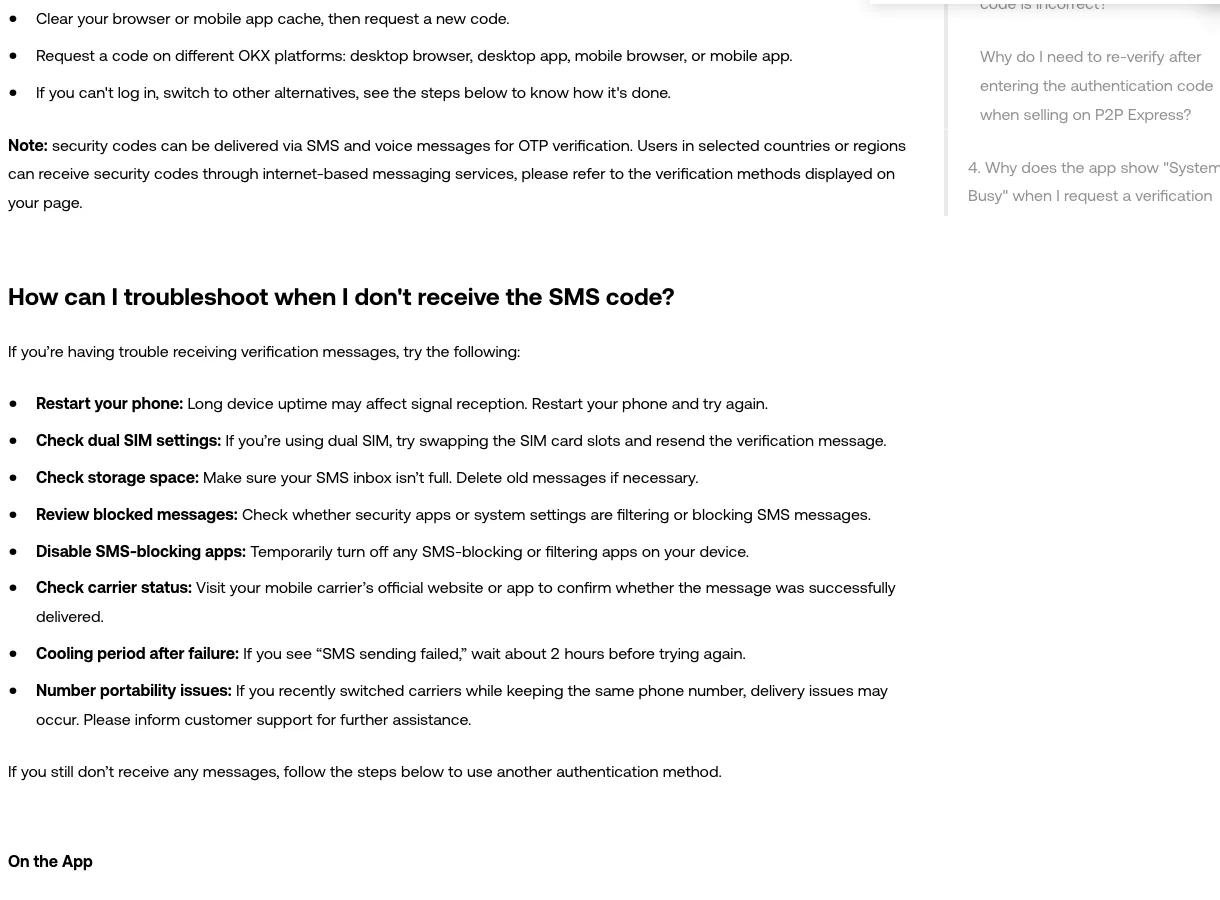
If your OKX SMS code is not arriving, first confirm that the masked number is yours and allow the current request time to complete. Then check phone reception, message filters, and any failure notice before requesting one new code. If the number is no longer yours, use the recovery choice shown by OKX instead of repeating delivery checks. Email-code problems and rejected codes have separate checks below. For changing how your account uses a linked phone, read our guide to OKX phone and SMS verification settings.
Checked October 3, 2026: OKX’s public Help Center says SMS codes may take time to arrive and are valid for 10 minutes. It warns that repeated incorrect entries can temporarily lock an account. The verification choices and restrictions shown to your own account take priority over examples on a public help page.
The public OKX verification-code help page, captured October 3, 2026. This crop shows its troubleshooting steps; no account is signed in.
Quick diagnosis: match the symptom before you retry
| What is happening | Best first action | What to avoid |
|---|---|---|
| No SMS arrives | Verify the masked number and country code, then check signal, filters, storage, and carrier status | Repeated code requests every few seconds |
| No email arrives | Check Spam/Junk, mailbox rules, storage, and the current OKX sender guidance | Trusting a sender name without checking the domain |
| A code arrives but fails | Enter only the newest code for the action currently on screen | Reusing an older code or guessing repeatedly |
| “SMS sending failed” appears | Stop and observe the cooling period shown on screen | Switching devices and requesting more codes continuously |
| You lost the linked phone or email | Use the official Unable to verify or authentication-reset flow | Paying an unofficial “recovery agent” |
| A code arrives that you did not request | Open OKX directly and review account security | Clicking a link in the message or sharing the code |
This distinction matters because a delayed carrier message, an expired code, and loss of the linked phone number require different responses. Resetting a working number too early can add identity checks and a security hold without fixing the original delivery problem.
If the OKX SMS code does not arrive
Work through these checks in order:
- Confirm the destination. Make sure the masked phone number on the OKX screen matches the phone you control and that the country code is correct. If it is an old number, go to the recovery section rather than retrying delivery.
- Keep the current request open. Give the message time to arrive and avoid creating several active codes. If more than one message eventually appears, enter only the newest code.
- Restart the phone and check reception. OKX’s current troubleshooting page recommends restarting the device when signal reception may be stale.
- Check dual-SIM settings. Confirm that the linked SIM is active. OKX also suggests swapping SIM slots as a diagnostic step.
- Review storage and filters. A full inbox, blocked-sender list, security app, or system SMS filter can hide automated messages. If you temporarily disable a filter to test delivery, turn it back on afterward.
- Ask the carrier about automated messages. Check whether international or application-to-person messages are being blocked. If you recently changed carriers while keeping the number, tell OKX support; number portability can affect delivery.
- Try another official OKX surface once. OKX suggests trying its desktop browser, desktop app, mobile browser, or mobile app. Type
okx.comyourself or open the official app—never follow a login link from an unexpected text.
If the screen says SMS sending failed, OKX’s current guide recommends waiting about two hours before trying again. Treat that as guidance for this specific error, not a universal timer for every delayed message.
If the OKX email code does not arrive
- Check Spam or Junk, then search the whole mailbox for
OKX. - Review filters and forwarding rules that may archive, redirect, or delete automated messages.
- Confirm that the mailbox and its Spam folder are not full.
- Compare the sender with the current guidance on OKX’s official Help Center; do not copy an address from an old screenshot, forum, or private message.
- If you requested the code in the app, update the app through its official store or OKX’s official download route.
- Return to the active verification screen and request one fresh code only after the previous request has had time to expire.
A message displaying the OKX name or logo is not automatically genuine. Once access is stable, consider setting an anti-phishing code inside your account so official emails carry a marker you recognize without clicking their links.
If the code arrives but OKX rejects it
A rejected code is usually a matching problem rather than a delivery problem. Check these points before requesting another:
- Use the newest code; an earlier message may no longer match the active request.
- Make sure the code belongs to the action on screen. A login code is not interchangeable with a withdrawal or security-change code.
- Enter the characters exactly and avoid copying spaces.
- Keep the device date and time automatic, especially if the rejected value comes from an authenticator app rather than SMS or email.
- Stop after repeated failures. OKX states that multiple incorrect entries can lock the account temporarily.
If the failing value comes from an authenticator app, check that device’s automatic time setting and follow the authenticator recovery instructions shown by OKX. Do not reset a working phone number to fix an authenticator-code error.
SMS still missing? Use the verification choice on your screen
An alternative verification method and a phone-number reset solve different problems. If you still control the linked number but this code is delayed, check whether the current OKX verification screen offers a voice call or another already linked method. OKX’s current verification-code instructions describe these paths:
- In the app: a verification screen may offer Didn’t receive anything? or another method. If you cannot sign in, OKX also documents Log in → Forgot your password → Unable to verify, followed by the methods available to that account.
- On the web: the code screen may offer Call me instead. If you cannot complete sign-in, OKX’s Help Center also describes Log in → Forgot your password → Unable to verify as a route to available alternatives.
Choose only a method actually shown to you. An authenticator app, voice call, or other choice may not be available in every region, and using one for this check does not remove the linked phone number. If the code finally arrives, enter only the newest code for the action currently open.
If the masked number is old or inaccessible, changing verification method once will not repair that number. Follow the account’s reset flow and review the identity checks and security notice before confirming. Our guide to changing an inaccessible OKX phone number or email explains that decision. OKX’s public guidance warns that withdrawals and P2P activity can be restricted for 24 hours after a phone-number change or reset; the notice on your account is the one to follow.
When the missing code could indicate an attack
An unsolicited code means someone may have entered your contact information or may be attempting a protected action. Do not reply, click a message link, or disclose the code to anyone claiming to be support. Open the official OKX app or type the domain yourself, then review:
- recent devices and active sessions;
- password and authentication-method changes;
- withdrawal addresses and other security settings; and
- any account alert you did not initiate.
If the phone suddenly loses service or the SIM behaves abnormally, contact the carrier through its official channel. Secure the exchange account from a trusted device and avoid discussing balances, codes, passwords, seed phrases, or private keys in public or private-message support channels.
When to stop troubleshooting and contact support
Use the Support Center chatbot reached from the official OKX site or app when:
- the masked destination is correct but no supported delivery method works;
- the same error returns after the cooling period shown by OKX;
- the account is temporarily locked after incorrect entries;
- you suspect number-porting fraud or unauthorized account access; or
- the recovery flow asks for information you cannot verify.
Record the request time, app version, exact error text, and carrier. If you attach a screenshot, hide the full phone number, email address, balances, codes, and account identifiers. Use the official OKX support ticket route and follow-up steps so the details stay in one case.
FAQ
How long is an OKX SMS verification code valid?
OKX’s international Help Center says each SMS code is valid for 10 minutes. Use only the newest code associated with the action currently open.
Why am I still not receiving a code after tapping Resend?
The delay may be with the carrier, an SMS filter, a full inbox, a stale app session, or a cooling period after a sending failure. Repeated requests do not solve those causes and can make it unclear which code is current.
Can OKX send the code another way?
Sometimes. The verification screen may offer voice, email, an authenticator app, or another method depending on the region and account. If the option is not shown in the official flow, do not try to bypass verification through a third party.
Should I reset my phone number immediately?
No. Reset the number only when it is wrong or permanently inaccessible, or when official OKX support directs you to do so. For ordinary delays, complete the delivery checklist first.
Official sources checked October 3, 2026: OKX Help Center pages for verification-code delivery and alternative methods, phone problems and recovery choices, and changing a phone number. Product availability, menu labels, and recovery requirements vary; the notices shown to your account take priority.
This independent guide is for educational purposes and is not affiliated with OKX.
Last updated Oct 22, 2026. OKX may change its app and rules, so always check the official OKX pages before you act. Chinese readers can also see our Binance & OKX beginner guides in Simplified Chinese.